


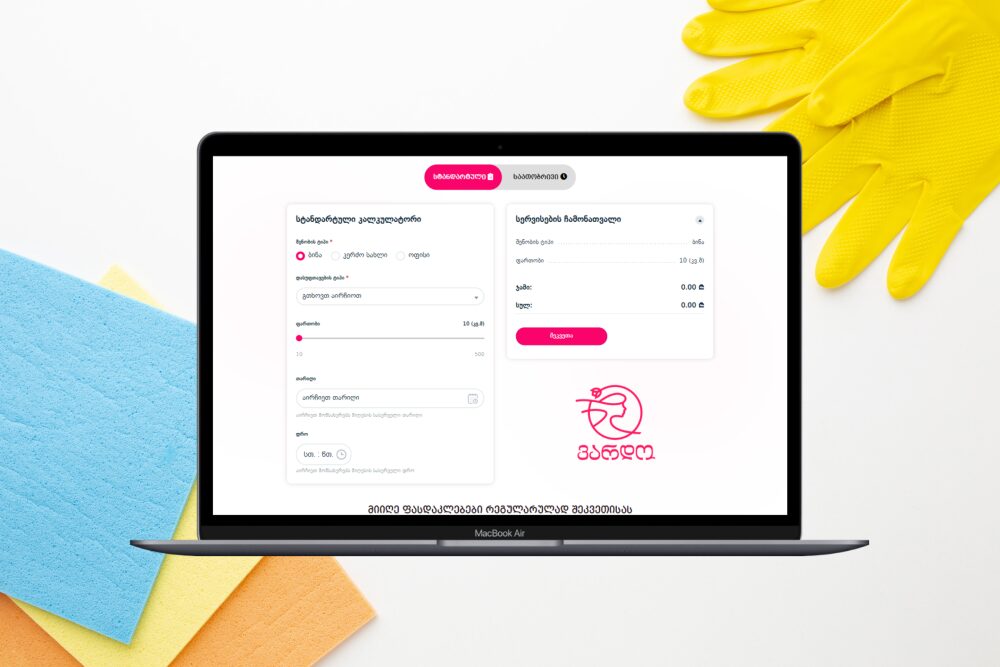
You can order Vardo’s cleaning service through various means, including contacting us via the phone numbers listed on the website, writing in the chat, and more. In this article, we will provide information about the special electronic order form available on the website, which, along with the aforementioned methods, is one of the most convenient, fast, and easy ways to place an order.
To use the integrated order form on the website, visit www.vardocleaner.ge and find the section “Price Calculator” on the homepage. Here, you can enter detailed information about the space you need cleaned, after which the service price will be automatically calculated and displayed. If the calculated cost is acceptable to you, you can order Vardo’s service directly from the price calculator.
You can also access the calculator by clicking the “Calculate Price” button within the cleaning packages, and additionally, on mobile, by tapping the calculator icon in the interactive menu.
Instructions (Step-by-Step)
Step 1: Visit Our Website
First, go to our website www.vardocleaner.ge and find the “Price Calculator” on the homepage.
Step 2: Choose Cleaning Type
Select the service type: “Standard” or “Hourly”.
The “Standard” service category involves calculating the price based on the size of the area to be cleaned, while “Hourly” calculates the price according to the time you specify.
Standard

Step 3: Select Building Type
Choose the type of building to be cleaned: apartment, private house, or office.
Step 4: Choose Cleaning Type
Next, select your desired cleaning type: General Cleaning or Post-renovation Cleaning.
Step 5: Enter the Size of the Area to be Cleaned
Specify the size of the area to be cleaned in square meters (m2) so that the calculator can accurately determine the service price.
Step 6: Review the Calculated Price
Once all the above details are entered, the calculator will automatically estimate the approximate cost of the service.
Please note that this is an indicative price. The exact service price is determined individually, taking into account the client’s needs and the specifics of the job, and its final confirmation occurs after the order is placed, when a Vardo representative contacts you at the provided number. If the terms are unacceptable to the client, the submitted order is automatically cancelled.
Placing the Order
If the price calculated by the calculator is acceptable and you wish to place an order, several additional fields will need to be filled.
Step 7: Select Cleaning Date and Time
Choose your preferred date and time for the service.
Step 8: Verify the Entered Information
Review the accuracy of the information you provided and click the “Order” button.
Step 9: Fill in Additional Information
Enter your name, email, phone number, and address. After filling out the form, click the “Order” button to send your request.
After submitting the order, a Vardo representative will contact you at the provided number to confirm the service.
Hourly

If you wish to receive hourly cleaning service, select the “Hourly” category.
Step 3.2: Choose Duration
Specify your desired service duration in hours.
Step 4.2: Review the Calculated Price
Once all the above details are entered, the calculator will automatically estimate the approximate cost of the service.